Yesterday I was asked how to extract a contour from a given image in OpenCV. Here is an example. Imagine we got this tasty apple and we want to put it in another image (with a green background):
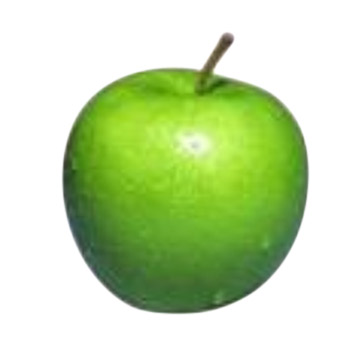
One solution is to first detect the edges of the apple with a Canny filter, then find the contours with OpenCV's findContours and create a mask with drawContours:

Finally copy the masked original image to the new image, which means only the areas of the contours will be copied... and you are done. You end up with a tasty apple on a green background:
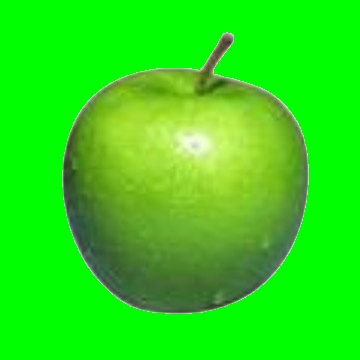
In code this translates to:
#include "cv.h"
#include "highgui.h"

using namespace cv;
using namespace std;

int main() {

    // read in the apple (change path to the file)
    Mat img0 = imread("/home/philipp/img/apple.jpg", 1);

    Mat img1;
    cvtColor(img0, img1, CV_RGB2GRAY);

    // apply your filter
    Canny(img1, img1, 100, 200);

    // find the contours
    vector< vector<Point> > contours;
    findContours(img1, contours, CV_RETR_EXTERNAL, CV_CHAIN_APPROX_NONE);

    // you could also reuse img1 here
    Mat mask = Mat::zeros(img1.rows, img1.cols, CV_8UC1);

    // CV_FILLED fills the connected components found
    drawContours(mask, contours, -1, Scalar(255), CV_FILLED);

    /*
     Before drawing all contours you could also decide
     to only draw the contour of the largest connected component
     found. Here's some commented out code how to do that:
    */

//    vector<double> areas(contours.size());
//    for(int i = 0; i < contours.size(); i++)
//        areas[i] = contourArea(Mat(contours[i]));
//    double max;
//    Point maxPosition;
//    minMaxLoc(Mat(areas),0,&max,0,&maxPosition);
//    drawContours(mask, contours, maxPosition.y, Scalar(1), CV_FILLED);

    // let's create a new image now
    Mat crop(img0.rows, img0.cols, CV_8UC3);

    // set background to green
    crop.setTo(Scalar(0,255,0));

    // and copy the magic apple
    img0.copyTo(crop, mask);

    // normalize so imwrite(...)/imshow(...) shows the mask correctly!
    normalize(mask.clone(), mask, 0.0, 255.0, CV_MINMAX, CV_8UC1);

    // show the images
    imshow("original", img0);
    imshow("mask", mask);
    imshow("canny", img1);
    imshow("cropped", crop);

    imwrite("/home/philipp/img/apple_canny.jpg", img1);
    imwrite("/home/philipp/img/apple_mask.jpg", mask);
    imwrite("/home/philipp/img/apple_cropped.jpg", crop);

    waitKey();
    return 0;
}